I've been interested in
fieldbusses lately, and
MODBUS in particular is used
by some pretty cheap hardware modules. It also offers "driverless"
communication — you don't need a .dll or .so file to talk to your
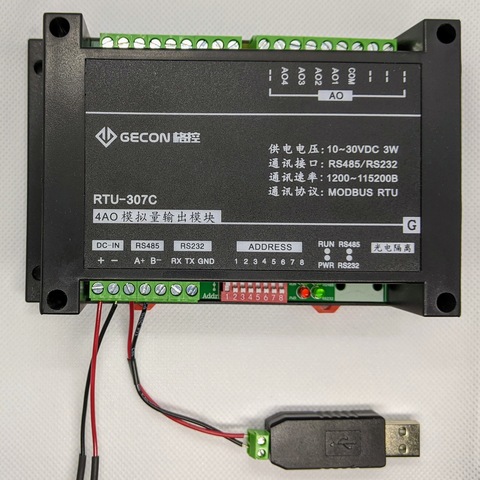
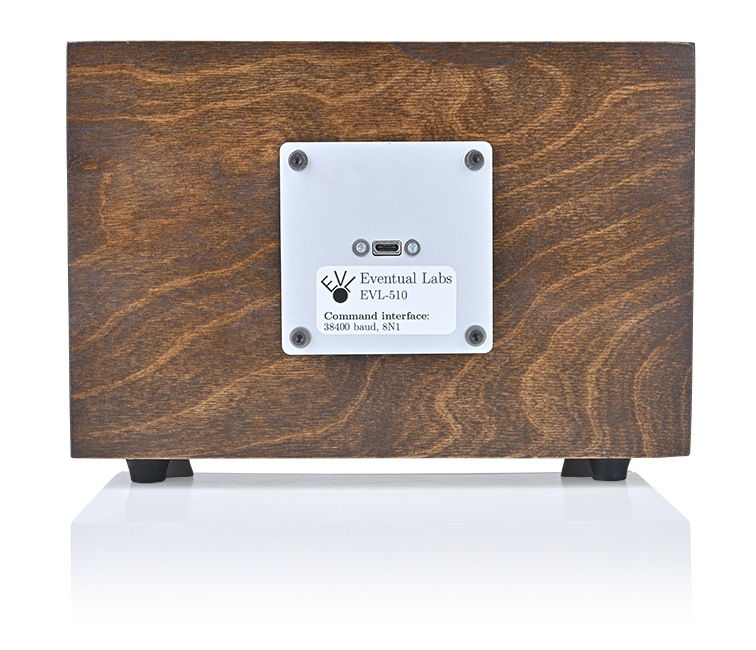
hardware. The hardware I've been experiementing with is shown below:
...and can be bought from eBay for around 50 USD. I found some very
useful code on
the Tcl wiki
and was able to write and read from registers with a USB/RS-485
adaptor. The RTU-307C user's manual
implies that you can change the RS-485 baud from 9600, but I wasn't
able to figure out how that works.
After some more help from
The Tcler's Wiki, I put
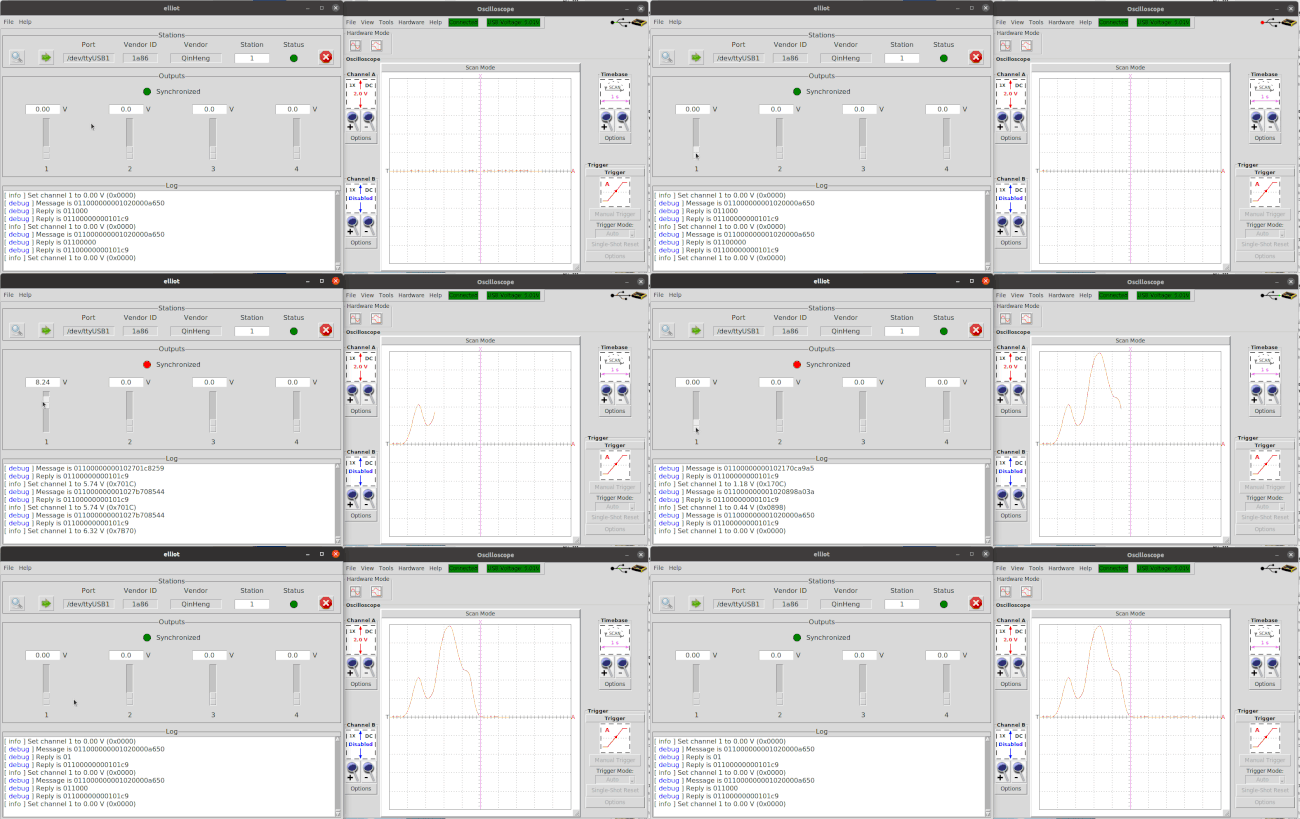
together a GUI to demonstrate MODBUS communication with the RTU-307C
module. The animation below shows the GUI next to an oscilloscope
(yelloscope) display.
The wiki helped me get the mouse wheel to move those sliders.
The ATmega328P
is used on the Arduino
UNO, the
Nano, and on many other
mass-produced microcontroller boards. But it has only 2048 bytes of
SRAM, which is shared between the stack and storage for things like
local variables. Bizarre behavior can happen if the SRAM needed for
variable storage overlaps that needed for the stack, but it's hard to
understand how much space these variables will use until the program
is actually running. This is where Michael
McTernan's stack monitor is useful.
The stack monitor "paints" SRAM storage registers with a magic value
before application code executes. You can then check for unused stack
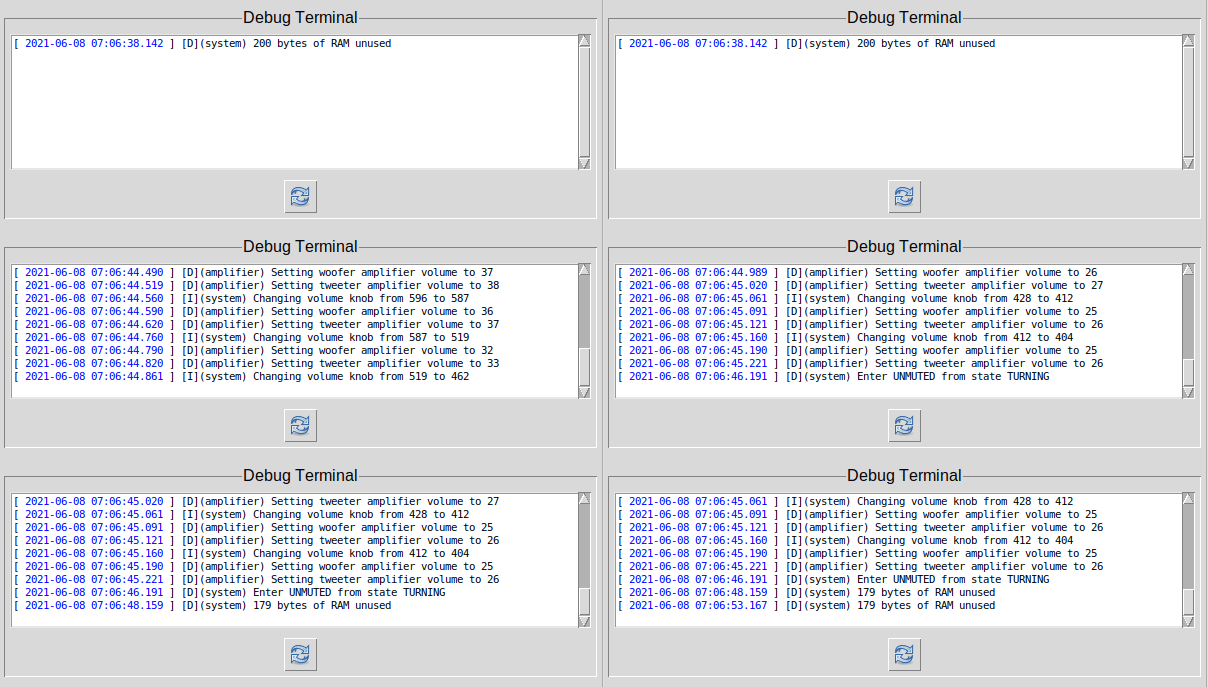
memory during execution by counting up these magic values. Here's some debug output from my Diamond firmware running on the EVL-510:
The unused SRAM is initially 200 bytes, but falls to 179 after turning
the volume knob. Changing the volume calls a few functions that
allocate local variables in SRAM. These get cleaned up when the
function exits, but the stack monitor can see that the memory was
used. The idea is to exercise as much of the system as you can and
then make sure you still have some unused memory.
I call the function with a scheduler made from
avr-simple-scheduler.
The code block below shows adding the stack reporting function to the
scheduler with a period of 5s. I could have made this even longer,
since I only need the report to run after I've excercised as much as I
can.
if (strcmp( LOG_LEVEL, "debug" ) == 0) {
    // Start the task to monitor free memory
    OS_TaskCreate(&system_report_stack_free, 5000, BLOCKED);
}
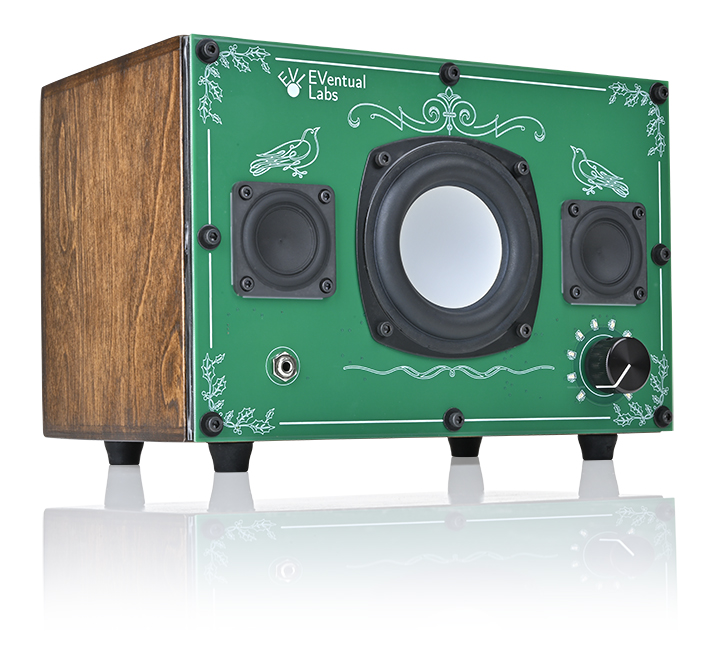
This desktop speaker turned out well, and I asked Jack at Prime
Images Photography to take
some real product photos. There's lots of interesting stuff here,
including the volume knob's state machine and some handy prototyping
tools from Mikroe. I'll get into these in
some later posts.
I have a few devices from Syscomp Electronic
Design that I use for experimenting
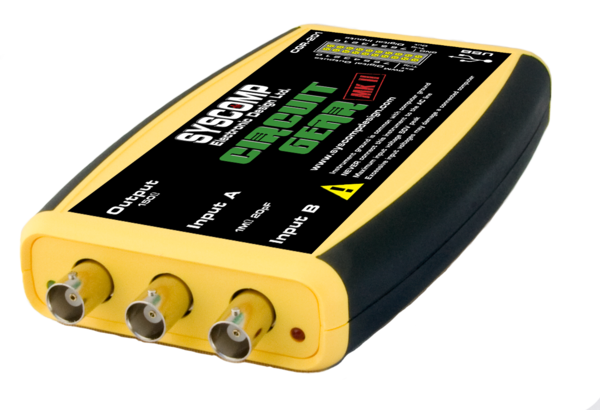
and debugging. The CGR-201, shown below, is one of these.
Syscomp sadly lost one of its founders, Peter Hiscocks, and won't be
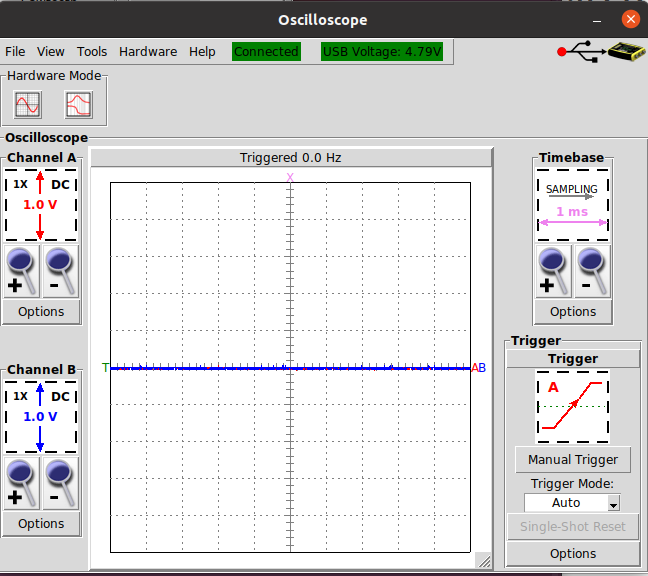
releasing any new products. I forked their CircuitGear software (screenshot below) to
make some of the changes I wanted, and to start packaging the software
as single-file executables for Linux. My fork is here:
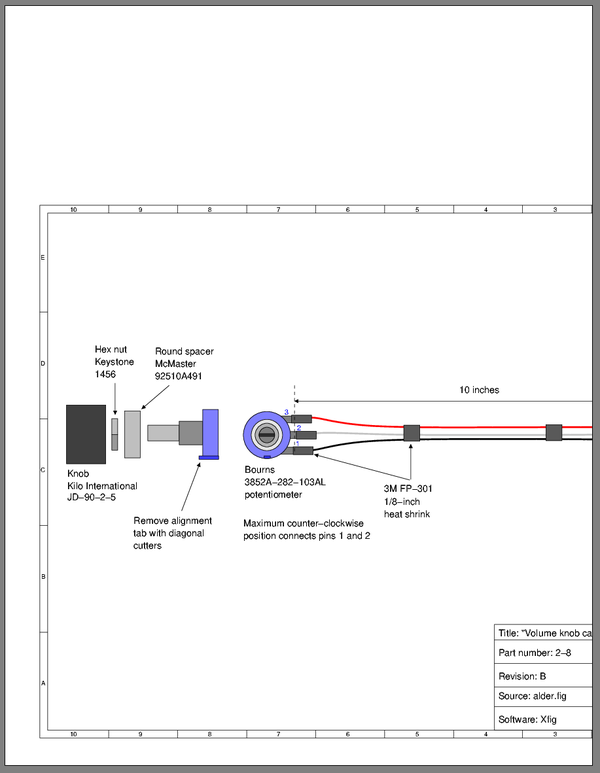
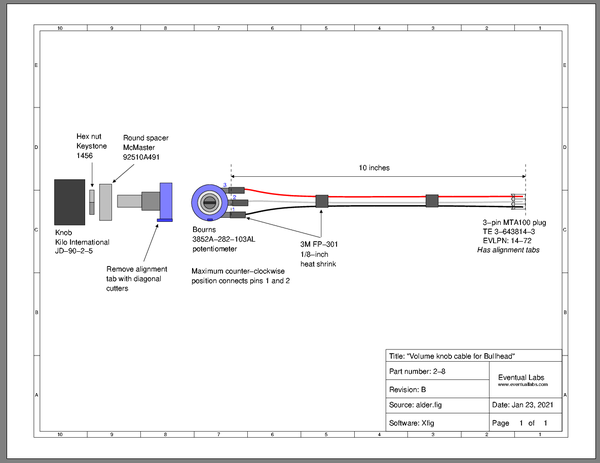
It's important to get the page orientation correct if you think your
Xfig output might ever be printed. I was trying to make a cable
drawing inside a titleblock with Xfig. The postscript output viewed
by qpdfview is shown below.
You can see that this will never print properly, and the ps2pdf
command simply gives you a pdf version of the same problem.
Ghostscript's ps2write device can fix the orientation with:
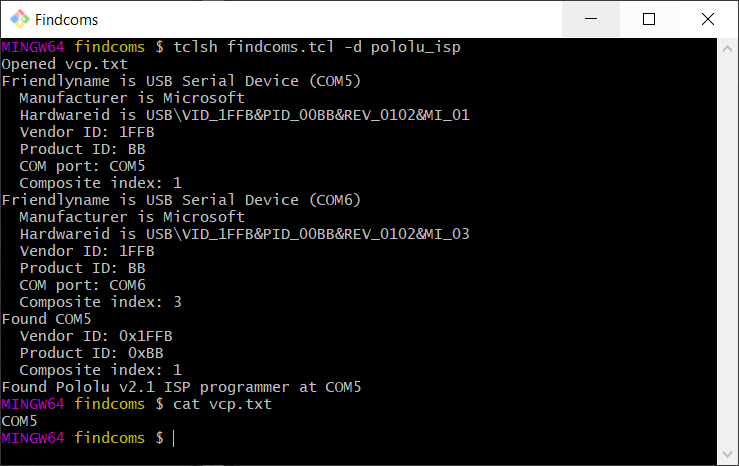
My AVR-based Arduino workflow is automated by GNU makefiles, which
call avrdude to interact with the
hardware. It's nice to also have the makefile find the Virtual COM
Port (VCP) assigned to the hardware programmer or USB/UART device.
Findcoms is a Tcl script
that finds the device and writes the VCP name to a file. You can then
access this file from your makefile to get the name to avrdude.
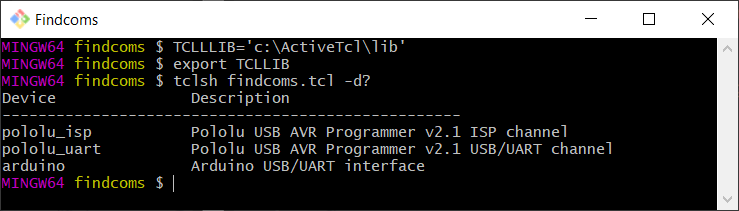
From the command line
Findcoms uses a -d parameter to decide which device to detect. Use
-d? to get a list of available d parameters.
I've been trying to figure out a good way to plot some sensor data as it comes in, and I needed a way to simulate that data. I ultimately wanted to get timestamped data into gnuplot, and I knew gnuplot would take time data formatted as Unix Timestamps. I thought, maybe I can use Unix Timestamps with millisecond precision and avoid all the Day/Month/Year formatting. I found out it wasn't going to be that easy.
Gnuplot can accept floating point seconds, but only with the right formatting
Gnuplot won't accept Unix Timestamps with millisecond precision -- the number has to come in as an integer. But it will accept times formatted as %H:%M:%S with floating point seconds. So then I needed to create these millisecond precision stamps. Tcl will give you the milliseconds since 1970, but its clock format command will neither consume this number directly, nor will it consume this number in floating point seconds. The fix, as pointed out by Donal Fellows, is to bolt the seconds and milliseconds together with a format string.
Fakestream creates these stamps to simulate real-time data
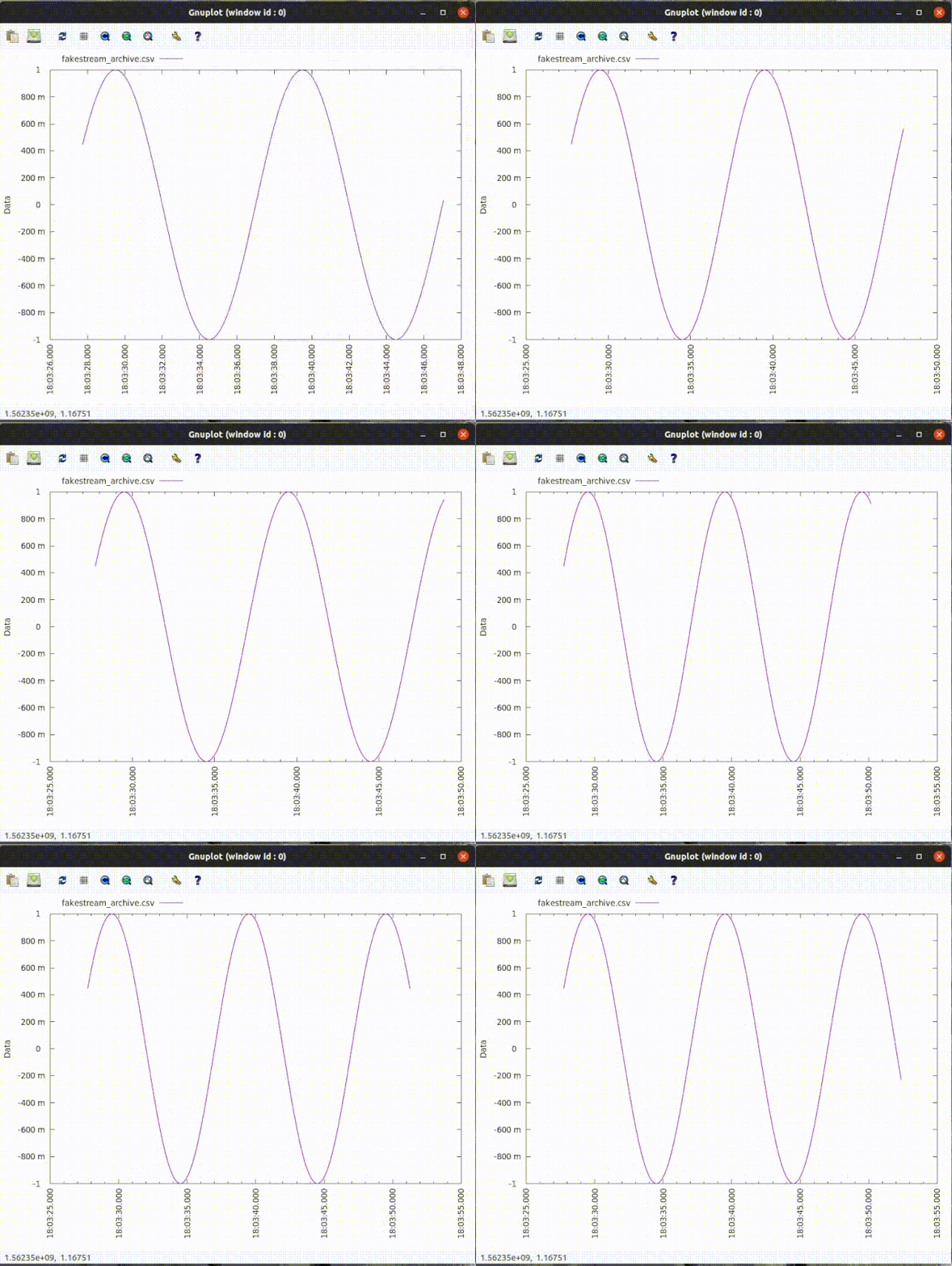
I wrote fakestream to continuously write data stamped with these millisecond-precision stamps to a file. The plot below shows gnuplot periodically scanning this file and updating a plot.
The fakestream repository has the Tcl source for this script as well as single file executables for easy distribution. These Starkits and Starpacks are what keep me coming back to Tcl.
I do electronic design for a living, and the CAD package I use
determines the operating system I spend most of my time in. This
means Windows during the day, and Linux at home. Using
Emacs on both platforms gives
me a consistent look and feel. And
Eshell
is a very nice command shell for Windows.
I also need Tcl on both platforms, and
Emacs gives me a nice way to set the
TCLLIBPATH environment
variable. This tells Tcl where to look for packages you bring in with
package require. The TCLLIBPATH variable is a list of paths, and
Tcl needs to be able to make a list variable out of whatever it finds
in TCLLIBPATH. A space-separated list works very nicely. I have this in my .emacs:
;; Get extra emacs packages -- including some useful
;; string-manipulating functions like string-join
(require 'subr-x)

;; Add my local package directory to auto_path.  This will be a Tcl
;; list, so the entries should be separated by spaces.
;;
;; Get tklib from https://github.com/tcltk/tklib
(setenv "TCLLIBPATH"
    (string-join '("c:/Tcl/lib/local"
               "c:/Tcl/lib/local/tklib/modules")
             " "))
Why do I need to (require 'subr-x)? The string-join command is
supposed to be part of Emacs 25, but my Emacs 25.2.2 still chokes on
it at startup without the subr-x package. After evaluating .emacs with M-x eval-buffer:
...you can see that the TCLLIBPATH variable is set, and that Tcl uses it in its auto_path list. I originally installed Tcl using ActiveState's installer, which makes its own changes to auto_path.
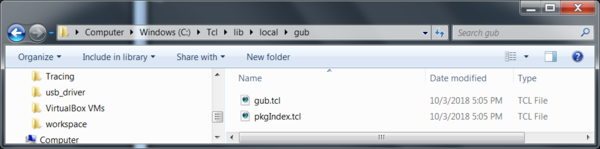
I have the very interesting Gub package saved here:
and I can now require it with
...to show that auto_path allowed Tcl to find the local package.
I've been working on a PCB for a small loudspeaker project called
Amey. I showed a
rendering of
the bare PCB a few weeks before I sent the design to Slingshot
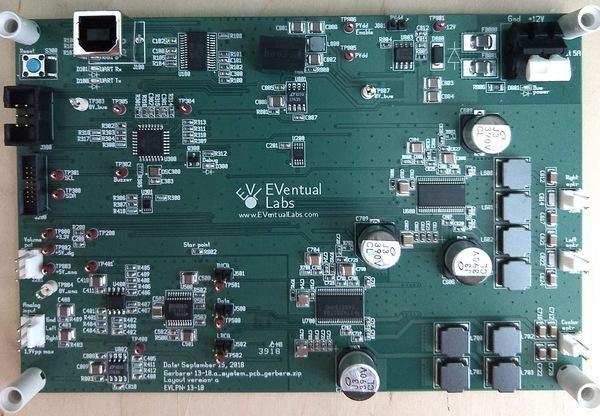
Assembly in Denver. I got the assembled PCBs today:
They installed the snap-in standoffs at each corner on the component
side, which helps to protect the other components during shipping.
That was a nice touch.
Update -- oops, the ADC doesn't have a clock
I made a showstopper mistake with the rev A boards -- I didn't provide
a clock to the I2S ADC. The
PCM1802 ADC from TI can
be an I2S master, but it has no way of generating its own timebase.
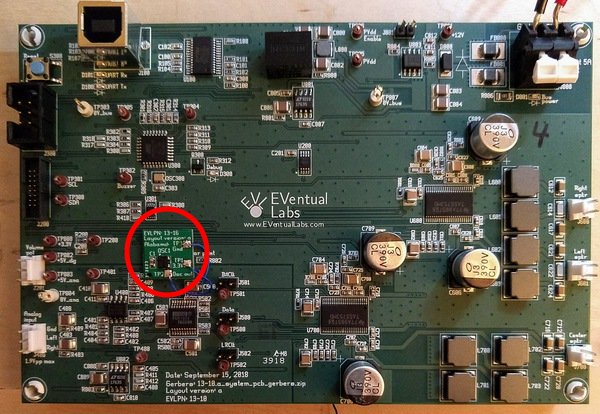
The fix is to figure out how to get a clock to the PCM1802. I made a
second PCB to hold the
DSC60xx
16.9344 MHz oscillator and its bypass capacitor. You can see the second PCB below.
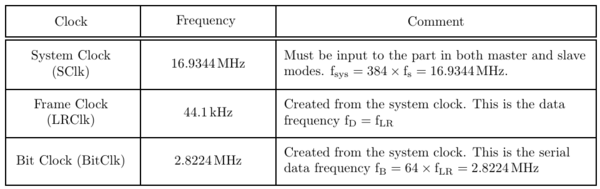
I carefully wired up the little PCB, and now I see the correct clocks: